Close Up Photographs
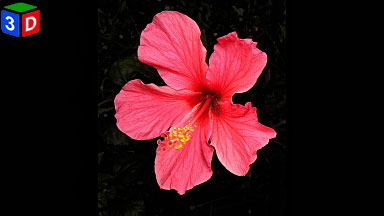
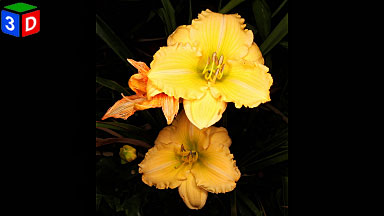
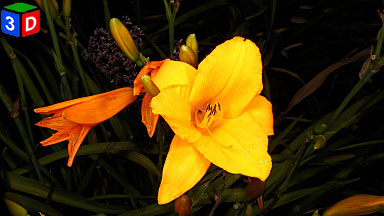
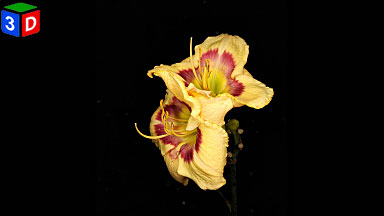
A rotating selection of close up photographs taken whilst I experiment with different close-up camera configurations.
Current Preferred Configuration
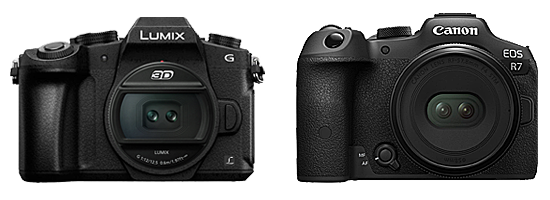
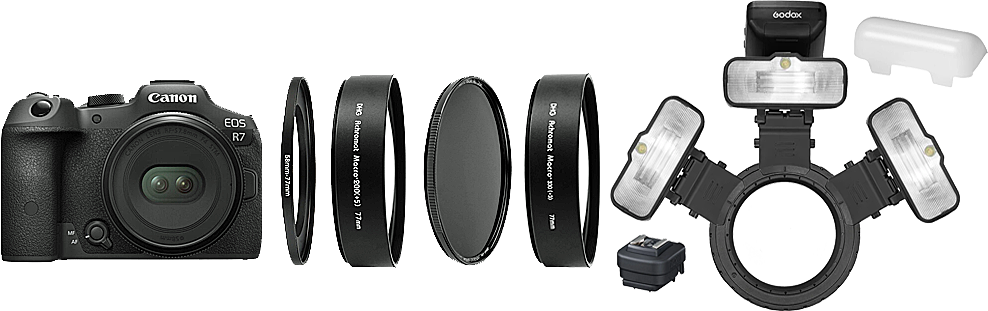
Canon EOS R7 + Canon RF-S 7.8mm f/4 STM Dual Lens
+ 58mm to 77mm Adaptor Ring
+ Marumi DHG Achromat Macro 200(+5) 77mm
+ NISI 77mm ND8 Filter
+/- (optional) Marumi DHG Achromat Macro 330(+3) 77mm
+ Canon Multi-function Shoe Adapter AD-E1
+ Godox Xpro-C TTL Wireless Flash Trigger
+ Godox Mf12 Macro Flash Lights + Diffuser (x3)
+ f16 1/320 sec Manual Mode
Why?
I want to capture live subject matter such as moving insects (maximum shutter speed of 1/320 sec). I want maximum depth of focus (smallest aperture of f16). I want minimum sensor noise and maximum image quality (ISO 100). The closest distance for the Canon RF-S 7.8mm lens before excessive deviation occurs is just under 13 cm and I want to get close, really close (Marumi Macro adaptors). I need to eliminate excessive deviation created by the background objects still being clearly visible (ND8 filter + Godox Mf12 Macro Flash Lights). This creates an effective shooting range of 2 to 15 cm. Any object beyond 15 cm becomes rapidly darker and effectively invisible. The Godox Mf12 Macro Flash Lights are operating in manual mode at 100% capacity. I use three to eliminate any rival shadowing between the left and right images.
Barrel Distortion Correction
Testing has shown that images captured by this rig require -6 degrees of barrel distortion correction for each Marumi Macro adaptor used (-12 when two are used). The amounts required were determined by photographing an image of a test grid and then applying correction values until the grid lines were uniformly vertical and horizontal.
Canon EOS VR Utility
I have incorporated the use of the Canon EOS VR Utility (currently version 1.8.0) to process and export the images captured by this rig as a standard part of my workflow.
All photographs are Copyright © to Jeff Ewen and are used with permission. All rights reserved.
- Viewer Quick Reference (click/tap to show)
| Menu | Dropdown | Key | Function |
|---|---|---|---|
| Full | Enter | Full-Screen mode (if supported by your browser) | |
| Size | |||
| Fit | F | Fit to Screen size | |
| - | - | Zoom out | |
| + | + | Zoom in | |
| Stereo | S | Dropdown menu for the stereo viewing method |
|
| SBS | Side by side (Computer monitor, Tablet, Large Print or Smart Phone 3D and VR Viewers) | ||
| LR/RL | Stacked SBS for Parallel/Cross view (free-viewing) | ||
| Dubois | Dubois Colour Anaglyph (Red-Cyan glasses required) | ||
| Colour | Colour Anaglyph (Red-Cyan glasses required) | ||
| Grey | Grey Anaglyph (Red-Cyan glasses required) | ||
| H_Int. | Row Interlaced (Cinema 3D, Passive 3D monitor and Circular Polarised glasses required) | ||
| V_Int. | Column Interlaced (3DLCD, Acer SpatialLabs) | ||
| 2D | Single Image View | ||
| Prev | Back space | Previous Image | |
| Next | Space Bar | Next Image | |
| M | Show/Hide menu buttons |

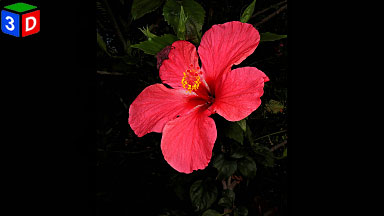
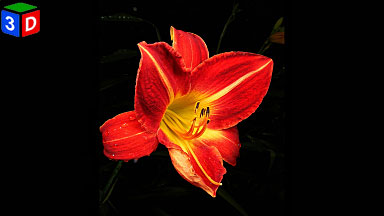
Click or tap on any photograph showing this icon to launch the HTML5 Stereo Viewer
 |
 |
 |
 |
 |
 |
 |
 |
 |
 |
 |
 |
 |
 |
 |
 |
 |
 |